








Social media has changed the way people communicate, share information, and promote their businesses. Whether you’re using Facebook, Instagram, LinkedIn, or another digital platform, you’ve probably heard someone say, “I made a post.” But what does this phrase actually mean, and why is posting content important?
Today, creating online posts is more than simply sharing pictures or writing a few sentences. It can help individuals express opinions, connect with audiences, build communities, and promote products or services.
Understanding how to create engaging posts can make a significant difference in your online presence. This guide explains the meaning of “made a post,” different types of posts, effective posting strategies, and ways to increase engagement.
What Does “Made a Post” Mean?
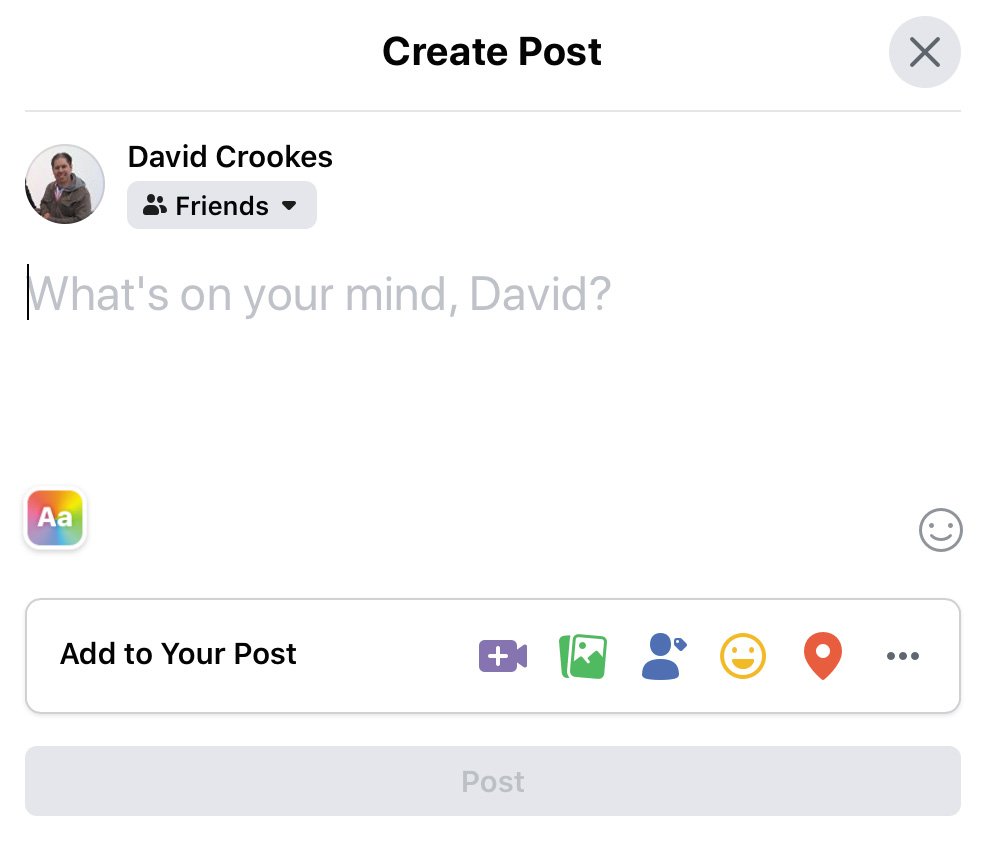
The phrase “made a post” means that someone created and published content on a digital platform, such as a social media network, online forum, website, or blog.
A post can contain text, photographs, videos, links, graphics, or a combination of these elements.
For example, someone might say:
- “I made a post on Facebook about my vacation.”
- “She made a post announcing her new business.”
- “I made a post on Instagram showing my latest artwork.”
- “Our company made a post about its upcoming product launch.”
In each example, the phrase describes the action of publishing information for other users to see.
The visibility of a post depends on the platform and privacy settings. Some posts are publicly accessible, while others are shared only with selected audiences.
Why Do People Make Posts Online?
People publish online content for many reasons. Some want to communicate with friends, while others use digital platforms for professional development or marketing.
Sharing Personal Experiences
Social media allows individuals to share important moments, celebrations, travel experiences, and everyday activities.
A person who made a post about a recent trip might include photographs, recommendations, and personal experiences.
Building an Online Community
Regular posting helps people communicate with others who share similar interests.
Educational content, discussions, and personal stories can encourage meaningful conversations and connections.
Promoting Businesses
Companies use social media posts to introduce products, announce offers, provide updates, and communicate with potential customers.
A thoughtfully written post can help a business demonstrate expertise and build trust with its audience.
Sharing Knowledge
Teachers, professionals, bloggers, and content creators frequently publish informative posts to answer questions and explain important topics.
Helpful content can reach readers who are actively searching for information or advice.
How to Make a Post on Social Media
Creating a social media post is relatively simple, but publishing content that attracts attention requires planning.
Step 1: Choose the Right Platform
Different social media platforms serve different audiences and content preferences.
Instagram emphasizes visual content, while LinkedIn is commonly used for professional networking and business-related discussions.
Facebook supports various formats, including photographs, videos, written updates, and community discussions.
Choose a platform where your intended audience is most likely to participate.
Step 2: Decide Your Post’s Purpose
Before creating content, identify what you want to accomplish.
Your goal might be to educate readers, entertain followers, promote a service, or encourage discussion.
A clear objective helps you decide what information to include and how to present it.
Step 3: Write an Engaging Caption
An effective caption should immediately communicate the subject of your post.
Begin with an interesting statement, helpful question, or relevant observation.
Use simple language and short paragraphs to make your message easy to understand.
Avoid unnecessary details that distract readers from your main point.
Step 4: Include Relevant Visuals
Images, videos, and graphics can make content easier to understand and more visually appealing.
Choose high-quality visuals that support your message rather than adding unrelated decorations.
For businesses, consistent branding can also help audiences recognize content across different platforms.
Step 5: Review and Publish
Before publishing, check your spelling, grammar, links, and privacy settings.
Make sure the information is accurate and the content matches your intended audience.
Once everything looks correct, publish your post.
What Happens After You Made a Post?
Publishing content is only one part of the process.
After you made a post, its performance may depend on audience interest, visibility settings, timing, relevance, and platform distribution.
People who see your content may respond through likes, comments, shares, saves, or direct messages.
These interactions can provide useful information about how readers respond to your message.
However, engagement is not guaranteed. Even carefully prepared content may receive limited attention.
Reviewing your results can help you understand which topics and formats are most effective for your audience.
Different Types of Posts You Can Create
There are several common types of digital content, each serving a different purpose.
Informational Posts
Informational posts explain concepts, answer questions, or share useful knowledge.
For example, a financial consultant might publish a post explaining basic budgeting methods.
Promotional Posts
Promotional content introduces products, services, discounts, or special announcements.
These posts work best when they explain genuine benefits instead of relying on exaggerated claims.
Personal Posts
Personal content allows individuals to share experiences, achievements, opinions, and everyday moments.
Authentic storytelling can help audiences feel more connected to the person publishing the content.
Interactive Posts
Interactive content encourages readers to participate through questions, polls, discussions, or other activities.
For example, asking followers about their favorite productivity techniques can encourage meaningful responses.
Educational Posts
Educational posts provide step-by-step instructions, practical tips, tutorials, or explanations.
These formats are particularly useful for businesses that want to establish credibility through helpful information.
How to Make Your Posts More Engaging
Creating successful content requires understanding what your audience finds valuable.
Understand your readers: Research their interests, common questions, and everyday challenges before selecting topics.
Use clear language: Write naturally and avoid complicated terminology when simpler explanations are available.
Focus on useful information: Offer practical advice, interesting insights, or relevant updates instead of publishing without a clear purpose.
Encourage conversations: Ask thoughtful questions and respond respectfully to genuine comments.
Maintain consistency: Develop a realistic publishing schedule that allows you to produce quality content regularly.
Review performance: Compare different topics and formats to identify patterns in audience engagement.
For entrepreneurs exploring digital communication and marketing ideas, resources such as GrowBizLab can be another starting point for business-related research.
Common Mistakes to Avoid When Making a Post
Many users make simple mistakes that reduce the effectiveness of their content.
One common problem is publishing without understanding the intended audience. Content may be well-written but still fail to connect with the people it is supposed to reach.
Another mistake is using misleading headlines or exaggerated promises. Such practices can damage credibility.
Excessive hashtags, unclear captions, poor-quality images, and repeated promotional messages may also discourage engagement.
Finally, ignoring comments or audience feedback means missing opportunities to improve future content.
The most effective approach is to prioritize clarity, accuracy, relevance, and genuine communication.
Made a Post vs. Shared a Post: What’s the Difference?
Although these expressions sound similar, they describe different actions.
When someone says, “I made a post,” they generally mean they created and published content.
When someone says, “I shared a post,” they usually mean they redistributed content that was already published.
For example, writing an original business announcement is making a post. Reposting another company’s announcement is sharing a post.
Some platforms allow users to add their own comments when sharing existing content.
Understanding this distinction helps clarify how information moves across social networks.
Frequently Asked Questions
What Does “I Made a Post” Mean?
It means someone created and published content on a social media platform, blog, forum, or another online service.
Can I Edit a Post After Publishing It?
Many platforms allow users to edit published content, although available editing features differ. Some services limit editing or require users to delete and republish certain types of content.
Why Is My Post Not Getting Engagement?
Low engagement can result from limited reach, weak relevance, unclear messaging, or audience preferences. Reviewing past performance may help identify opportunities for improvement.
How Often Should I Make a Post?
There is no universal posting frequency. A manageable schedule that supports consistent, useful content is generally better than publishing large amounts of low-quality material.
Can Making Posts Help My Business Grow?
Yes. Relevant and informative posts can support brand awareness, customer communication, and audience relationships. Business growth, however, depends on broader factors beyond posting alone.
Conclusion
The phrase “made a post” describes a simple but important digital activity: creating and publishing content online.
Whether you’re sharing personal experiences, educating readers, building professional relationships, or promoting a business, thoughtful posting can help you communicate more effectively.
The key is to understand your audience, create useful content, choose appropriate formats, and learn from the responses you receive.
Instead of focusing only on how frequently you publish, prioritize quality, authenticity, and relevance.
A well-planned post may begin as a simple message, but it can become a valuable opportunity to inform, connect, and engage with others.